Implementing Odoo is a pivotal step in the digital transformation journey for many Small and Medium Enterprises (SMEs). However, the most frequent questions businesses ask are: “How long does Odoo implementation take?” and “How can we guarantee a successful rollout?”
In practice, the Odoo implementation timeline varies significantly based on factors such as business scale, the number of modules, the level of system customization, and the readiness of internal processes. A project might span just a few weeks or extend over several months for larger scopes with complex requirements.
Furthermore, many SMEs struggle with ERP deployment due to a lack of clear planning, unstandardized data, or resistance to change within the workforce. These bottlenecks often lead to project delays or even mid-way abandonment. If you are considering Odoo for your business, this article provides a comprehensive overview of the implementation lifecycle and how to best prepare for a seamless ERP transition.
1. Why do many SMEs fail at Odoo implementation?
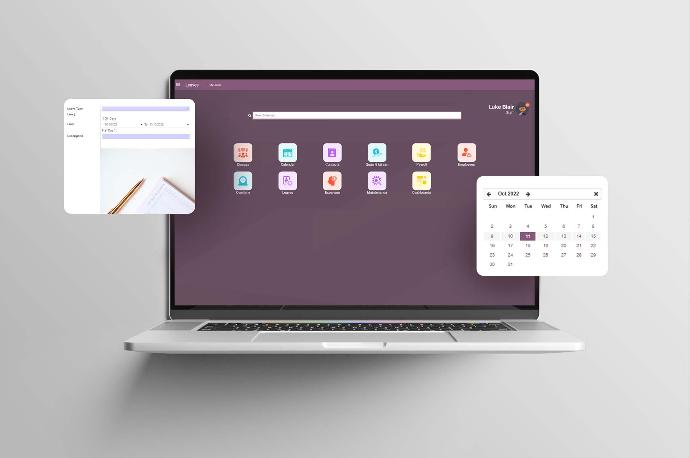
In recent years, digital transformation has shifted from a strategic option to an absolute necessity. For Small and Medium Enterprises (SMEs) in particular, adopting an ERP system is the key to synchronizing data, optimizing workflows, and enhancing management capabilities. Among the various ERP platforms available today, Odoo has emerged as a top contender due to its flexibility and scalability, perfectly suited for growing businesses.
1.1 Why Odoo is the go-to solution for SMEs
There are several compelling reasons why Odoo has gained such popularity within the SME community:
- Cost-Effectiveness: Compared to "legacy" ERP giants like SAP or Oracle, Odoo’s implementation costs are significantly lower. This allows SMEs to access enterprise-grade power without a massive upfront capital expenditure.
- Modular Architecture: Odoo is built on a modular framework, allowing businesses to cherry-pick specific applications based on their immediate needs—be it CRM, Sales, Inventory, Accounting, Manufacturing, or HRM.
- Scalability: Businesses can start small and expand the system as they grow. Odoo integrates seamlessly with external tools such as E-commerce platforms, Marketing Automation, and POS systems, making it adaptable to almost any business model.
1.2 The reality check: Why Odoo projects falter
Despite these advantages, many Odoo implementation projects hit roadblocks or fail entirely. This is a common occurrence among SMEs that lack prior experience with ERP deployments. Frequent pain points include:
- Timeline Overruns: Projects that are expected to take a few months often stretch to double or triple that duration. This is usually caused by "scope creep," poorly defined internal processes, or excessive customization requests.
- Budget Bloat: Frequent changes in requirements or over-customizing features beyond the original scope can send costs spiraling. For an SME, this financial strain can jeopardize the entire project’s viability.
- Mid-Project Abandonment: In some cases, businesses halt the project before "Go-Live" due to mismatched expectations, internal resistance to change, or a lack of cross-departmental synergy.
As a result, businesses waste time and money without truly exploiting the value of the ERP system. So, how long does the Odoo implementation process actually take? This is a question many businesses are concerned about before starting an ERP project.
1.3 How long does an Odoo implementation actually take?
This is the most critical question businesses ask before signing a contract. The timeline for an Odoo rollout can range from a few weeks to several months, depending on:
- Organizational Scale: The size and complexity of the business.
- Scope of Modules: How many apps are being deployed simultaneously.
- Level of Customization: How much "out-of-the-box" functionality is being modified.
- Internal Readiness: How prepared the staff is to migrate data and learn new workflows.
Understanding these variables is key to avoiding the common pitfalls that lead SMEs to give up mid-way. In our next section, we will break down the Standard Odoo Implementation Process and provide a realistic timeline to help you better prepare for your ERP journey.
2. What are the standard steps in an Odoo implementation process?
2.1. Business Analysis
This is the most critical phase of any Odoo project. The goal is to deeply understand how the business operates before the system goes live. During this stage, the implementation team works directly with key departments Sales, Accounting, Logistics, Manufacturing, and HR to map out existing workflows.
Key Activities:
- Auditing and analyzing current operational processes.
- Identifying bottlenecks, inefficiencies, or manual workarounds.
- Defining the required Odoo Modules (e.g., CRM, Sales, Accounting, Inventory, Manufacturing).
- Determining specific requirements for customization or third-party integrations.
Key Deliverables: * Business Requirement Document (BRD)
- Finalized module list and Project Scope.
Timeline: Approximately 1–3 weeks, depending on the organization's scale.
2.2. Solution design
Once the business requirements are clear, the team begins designing the solution architecture. The objective here is to bridge the gap between real-world business needs and Odoo’s standard functionality.
Key Activities:
- Process Mapping: Aligning business workflows with Odoo’s standard features.
- Gap Analysis: Identifying what can be handled by Odoo Standard versus what requires:
- Customization: Tailoring features to unique needs.
- Integration: Connecting Odoo with external systems (Websites, POS, legacy accounting software).
- Data Migration: Planning the move from old systems to Odoo.
- Technical Design: Designing system logic and data processing workflows.
Key Deliverables: * Solution Design Document (SDD)
- System Workflow Diagrams
- Functional Specification List (for custom features).
Timeline: Approximately 1–2 weeks.
2.3. Configuration & Development
With the blueprint approved, the team moves into the execution phase. This stage is typically divided into three core areas:
2.3.1. Module Installation & Core Configuration
The team installs the necessary modules based on the project scope. For example:
- CRM: Lead and opportunity management.
- Sales: Sales order processing.
- Inventory: Warehouse and stock management.
- Accounting: Financial reporting and ledger management.
- Manufacturing (MRP): Production planning and execution.
Post-installation tasks include:
- Configuring company information and localization settings.
- Defining User Roles and Access Rights.
- Setting up system parameters and menus.
2.3.2. Workflow Customization
Since every business operates differently, Odoo’s workflows must be adjusted to match reality. A typical Odoo workflow follows a sequence: Draft → Confirmed → Approved → Done.
In this step, the team will:
- Design data processing states.
- Establish transition rules between stages.
- Configure approval hierarchies for specific roles.
- Set up Automated Actions (e.g., auto-triggering emails, task creation, or data updates).
Example: A Sales Order workflow might follow this path: Salesperson creates Quote → Manager Approves → System generates Delivery Order → Warehouse ships goods.
2.3.3. Custom Feature Development
When standard modules don't fully meet specific requirements, the technical team builds custom enhancements. Common examples include:
- Building specialized management modules or custom reporting engines.
- Developing advanced dashboards for data visualization.
- Integrating Odoo with third-party APIs or e-commerce platforms.
These features are packaged as Custom Modules to ensure the system remains scalable and easy to upgrade in the future.
Timeline for Configuration & Development: Typically 3–8 weeks, depending on project complexity.
2.4. System Testing & User Acceptance Testing (UAT)
Once the system has been fully configured and all necessary features developed, the next step is testing to ensure the solution aligns with the original requirements. This phase aims to identify technical bugs, business logic errors, or discrepancies between the software and actual business workflows before the official go-live.
Key activities during this phase include:
- Functional Testing: The implementation team validates all pre-designed workflows, such as:
- CRM Lead and Customer Management
- Quotation and Sales Order (SO) workflows
- Inventory movements (Receipts & Deliveries)
- Accounting entries and Financial Reporting
- Goal: To ensure modules function correctly and data flows seamlessly across departments.
- User Acceptance Testing (UAT): After internal technical testing, the business participates directly in UAT. Key users (Sales, Accountants, Warehouse Managers, etc.) will operate the system using their daily routines to verify:
- Data accuracy
- User experience (UX) and ease of use
- Alignment with business requirements
- Note: Any issues found are logged for the technical team to resolve.
- Bug Fixing & Final Refinement: Based on UAT feedback, the team will fix bugs, adjust workflows, and optimize the user interface. Once all critical issues are resolved, the system is deemed ready for production.
Timeline: 1–3 weeks, depending on project scope.
2.5. User Training
An ERP project is only successful when the end-users are proficient in the new system. Therefore, the training phase is a critical pillar of the implementation process.
- Department-Specific Training: Training sessions are typically organized by department to ensure the content is relevant to specific roles:
- Sales Team: Customer management, quotations, and sales orders.
- Warehouse Team: Goods receipts, shipments, and inventory counts.
- Accounting Team: Invoicing, payments, and financial reporting.
- Management: Dashboard monitoring and high-level reporting.
- Hands-on Practice: Beyond theoretical knowledge, users perform "hands-on" exercises directly in the system, such as creating a new customer, processing an order, or generating delivery slips. This practical approach accelerates the Odoo learning curve.
- Documentation & Resources: The implementation team provides supporting materials, including User Guides, video tutorials, and process checklists. These assets serve as a knowledge base for onboarding future employees.
Timeline: 1–2 weeks.
2.6. Go-Live and Post-Implementation Support
Following successful testing and training, the system enters the Go-Live phase—the point where Odoo officially becomes the operational backbone of the business.
Pre-Go-Live Checklist:
- Importing master data (Customers, Products, Opening Balances, etc.)
- Final system configuration audit
- User access and permission verification
- System backup procedures
Post-Go-Live Monitoring: During the initial launch period, the implementation team closely monitors the system to ensure smooth operations. Key activities include:
- User Support: Providing immediate assistance for any "on-the-job" questions.
- System Health Checks: Monitoring system logs and performance metrics.
- Continuous Optimization: Addressing minor bugs and fine-tuning workflows based on real-world usage to maximize efficiency.
Support Period: Typically 1–2 months post-launch.
3. Why SMEs often fail mid-way through Odoo implementation
While Odoo is a powerful and flexible ERP system, many Small and Medium-sized Enterprises (SMEs) still struggle during implementation. Below are the common pitfalls that lead to project delays or premature abandonment.
3.1. Lack of defined project scope
Many businesses fall into the trap of attempting a "Big Bang" implementation—launching too many modules (CRM, Sales, Inventory, Accounting, etc.) simultaneously. This creates unnecessary complexity from day one. Furthermore, constant requirement changes mid-project often lead to scope creep, causing timelines to stretch and costs to spiral out of control.
3.2. Absence of an internal project champion
A successful ERP project requires a dedicated Project Owner (PO) from the client side to coordinate efforts and make critical decisions. Without a clear point of contact, departments often operate in silos, leading to poor internal coordination and significant implementation friction.
3.3. Unstandardized internal processes
ERP systems thrive on clear, unified workflows. However, many SMEs still operate with:
- Experience-based workflows (rather than standardized ones)
- Lack of documentation
- Over-reliance on specific individuals
Transitioning to an ERP system becomes an uphill battle when the underlying business logic is fragmented.
3.4. Excessive customization
Some businesses try to over-customize Odoo to mirror their legacy processes. While Odoo is highly adaptable, over-customization can:
- Disrupt the system’s core logic.
- Inflate implementation costs and timelines.
- Create technical debt, making future upgrades difficult and expensive.
3.5. Poor data quality and fragmentation
In many SMEs, data is scattered across disparate Excel sheets or legacy software without a unified format. If data is not thoroughly cleansed and standardized before being imported into Odoo, the data migration process will be riddled with errors and delays.
3.6. Internal resistance to change
The "human factor" is often the biggest hurdle. Resistance to change manifests when employees:
- Are reluctant to adopt the new system.
- Show lack of engagement during User Acceptance Testing (UAT).
- Revert to using Excel for their daily tasks.
Without proper Change Management, the ERP system no matter how advanced will fail to deliver its intended ROI.
4. Key strategies for successful Odoo implementation in SMEs

While implementing an ERP like Odoo offers immense benefits, the project can easily run into risks without a proper strategy. For Small and Medium Enterprises (SMEs) specifically, where resources are often lean, implementation requires a cautious approach and a clear roadmap.
Here are practical solutions to help SMEs boost their success rate when deploying Odoo.
4.1. Phased implementation approach
A common pitfall is attempting a "Big Bang" implementation—launching the entire ERP system at once. This often leads to over-complexity and loss of control.
Instead, SMEs should adopt a phased approach. Start with the most critical modules and scale up once the system has stabilized.
Example Roadmap:
- Phase 1: CRM + Sales
- Phase 2: Inventory + Purchase
- Phase 3: Accounting
- Phase 4: Manufacturing or advanced modules
Benefits of this approach:
- Mitigates project risks.
- Allows users time to adapt to the new interface.
- Ensures better control over budget and timeline.
4.2. Standardize processes before implementation
ERP is more than just software; it is a catalyst for operational standardization. Before touching Odoo, businesses should audit their internal workflows to identify:
- Efficient processes that should stay.
- Bottlenecks that require improvement or restructuring.
- Manual tasks that can be automated.
Standardizing workflows beforehand ensures a cleaner system design and minimizes the need for excessive customization later.
4.3. Appoint an internal project owner
Every ERP project needs a "champion" from the business side to orchestrate the deployment. The Project Owner’s responsibilities include:
- Gathering requirements from various departments.
- Validating business processes.
- Monitoring project milestones.
- Supporting end-users during the transition.
A dedicated Project Owner ensures faster decision-making and limits scope creep.
4.4. Minimize unnecessary customization
Odoo provides a vast array of standard features built on global business best practices. SMEs should prioritize "out-of-the-box" functionality rather than forcing the software to mirror legacy—and often inefficient—processes.
Excessive customization often leads to:
- Inflated development costs.
- Extended deployment timelines.
- Difficulties during future system upgrades.
Pro Tip: "Modify your processes to fit the system whenever possible, rather than modifying the system for every process."
4.5. Data cleansing before migration
Data is the lifeblood of an ERP. If your legacy data is inaccurate or unorganized, the new system will inherit those flaws.
Before migrating to Odoo, businesses should:
- Remove duplicate records.
- Standardize product SKUs/codes.
- Cleanse customer and vendor databases.
- Perform a physical inventory audit.
High-quality data ensures a smoother migration and immediate system stability upon Go-live.
4.6. Internal training and change management
An ERP project is as much a cultural shift as it is a technical one. Effective Change Management and training are vital.
Businesses should focus on:
- Conducting department-specific training sessions.
- Providing hands-on guidance for daily tasks.
- Clearly communicating the benefits of the ERP to each role.
Involving employees in the User Acceptance Testing (UAT) phase not only helps them learn the system but also reduces resistance when the system officially goes live.
5. Conclusion
Implementing Odoo is far more than a simple software installation; it is a fundamental digital transformation of how a business operates and manages its data. For Small and Medium Enterprises (SMEs), adopting an ERP system like Odoo offers a competitive edge by streamlining workflows, enhancing operational transparency, and enabling data-driven decision-making.
However, a successful Odoo rollout requires meticulous upfront preparation. Key factors such as defining a clear project scope, standardizing internal processes, ensuring data integrity through thorough cleaning, and assembling a dedicated project team are essential to mitigating implementation risks. Furthermore, comprehensive user training and internal communication are vital to ensure high adoption rates and long-term system efficiency.
When executed correctly, Odoo does more than just organize daily tasks, it serves as a robust technological foundation that supports sustainable growth and future scalability. Contact us today for a professional consultation and receive our exclusive Odoo system resources for free.